Applicable Model: TerraMow V & S Series
If you need a quick trim for your lawn, the Spot Mode would be the best choice for you. With the Spot Mode, there is no need to set up a Base Station on the lawn or to initiate the task from the Base Station.
Key Steps of Using Spot Mode (Two methods)
Method 1: Start on the robot
Press and hold "Start" button for 2s, then press the "OK" button on the robot to start a Spot Mode task.
Method 2: Start on the APP
Just simply click "Spot" and the Starting icon to use Spot Mode on the APP.
You can also customize the map and the mowing settings like in other modes for your preference.
Tips:
1. Only one Spot Mode map can be saved at a time after completing a spot mode mowing task.
2. With a full charge, TerraMow robot can mow larger than 5 square meters but smaller than 120 square meters in spot mode.
3. The mowing direction in spot mode is the direction the mower's head is facing at the start of the task.
Key Steps of Saving a Spot Mode Map
1. Click the Start icon and click the map-editing icon.
2. Click "Save this spot map".
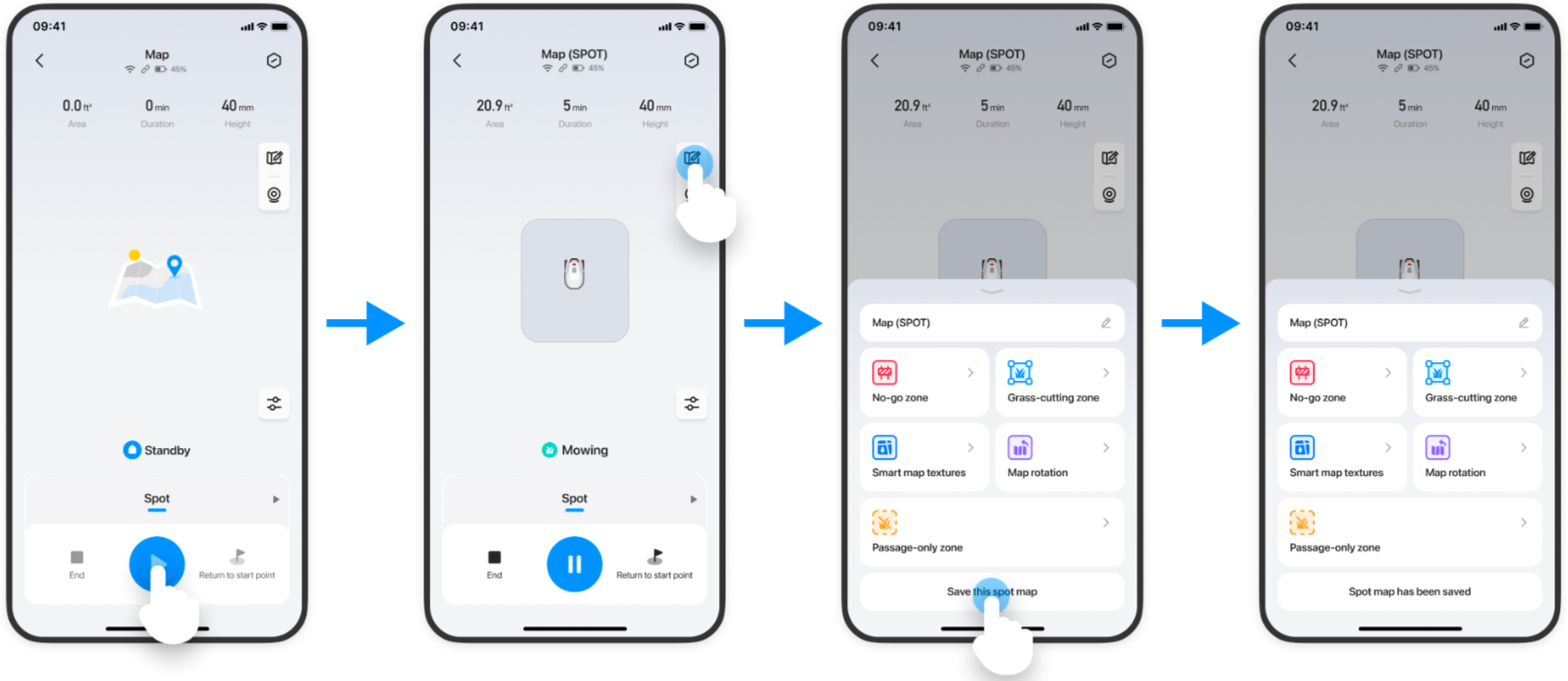
Key Steps for Replacing the Spot Mode Map
1. Place the robot in a new lawn and complete the first task.
2. Click the map-editing icon and click "Save this spot map".
3. Select "Replace".
Note: If you choose to "Replace" then the previous map will be replaced by a newly created one.
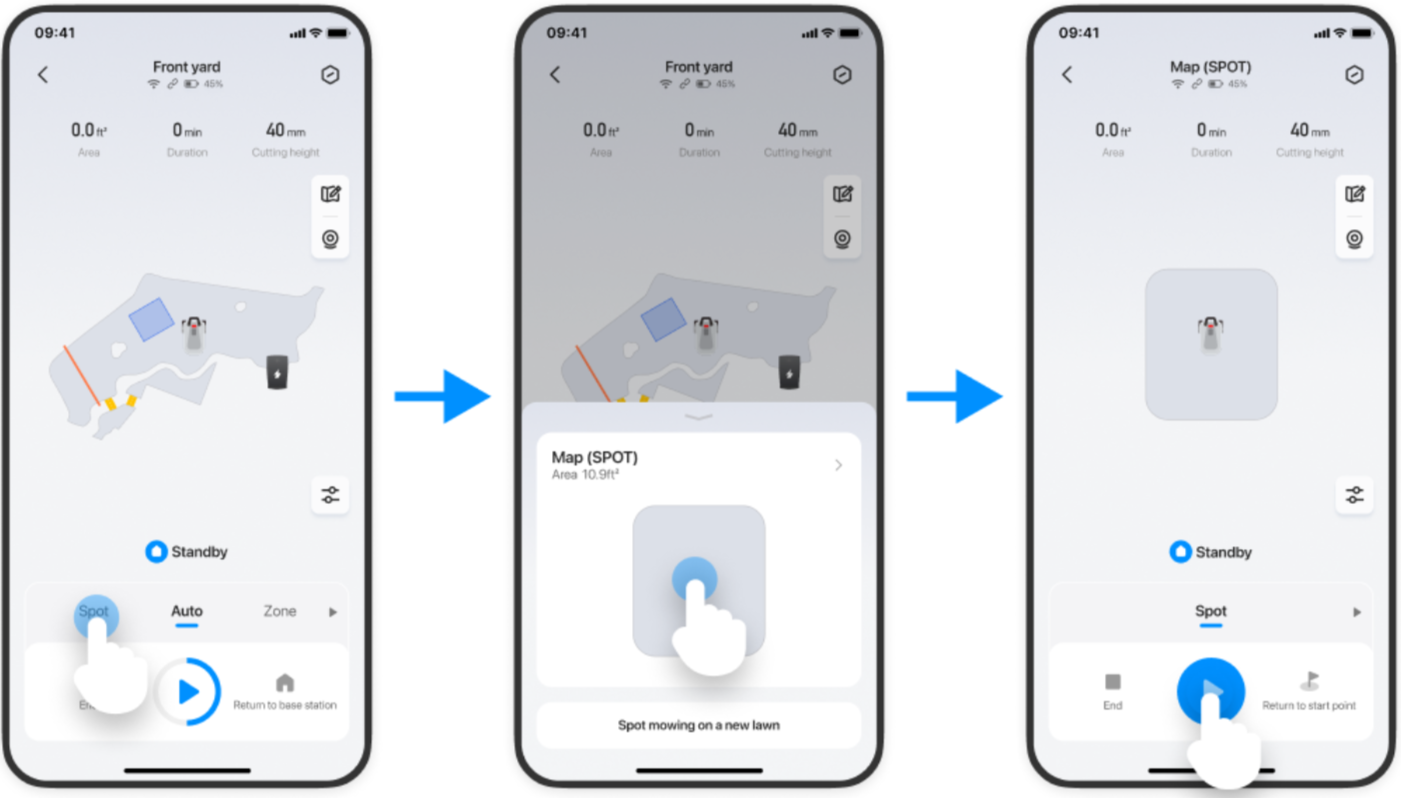
Use the Saved Spot Mode Map
1. Click “Spot”.
2. Select the saved map and click the Start icon.
If you encounter any issues or have questions about activation, please do not hesitate to reach out to our Customer Service Team at support@terramow.com or submit a ticket.
If you encounter any issues or have questions about activation, please do not hesitate to reach out to our Customer Service Team at support@terramow.com or submit a ticket.